A developer pushes code to production. It's thoroughly tested, performs well, and users love it. But nobody tested for SQL injection. A week later, an attacker exploits the vulnerability and steals customer payment data. Your company faces regulatory fines, lawsuits, and reputation destruction.
This happens constantly. Not because companies are negligent, but because building secure applications is hard. Security is easy to ignore during development because it doesn't affect feature velocity. Vulnerabilities don't manifest until an attacker exploits them.
Yet most application breaches are preventable. The vulnerabilities that attackers exploit have been known for years. They're documented. They're testable. Most importantly, they're fixable during development.
The Open Web Application Security Project (OWASP) has published the most common web application vulnerabilities for over two decades. If you build applications for the web, you must know these vulnerabilities and how to prevent them.
This guide explains the OWASP Top 10, how each vulnerability works, how attackers exploit them, and how to build applications that are secure by design.
The Cost of Security Breaches
- Financial cost — average data breach costs ₹75 crore+ per incident
- Regulatory fines — GDPR violations cost up to 4% of global revenue
- Legal liability — lawsuits from customers whose data was compromised
- Incident response — emergency team mobilisation, investigation, remediation
- Reputation destruction — customers leave; future customers don't trust you
- Operational disruption — time spent on security incident instead of building features
A single security incident can destroy a company. Preventing vulnerabilities is exponentially cheaper than recovering from breaches.
The OWASP Top 10 — The Most Critical Web Vulnerabilities
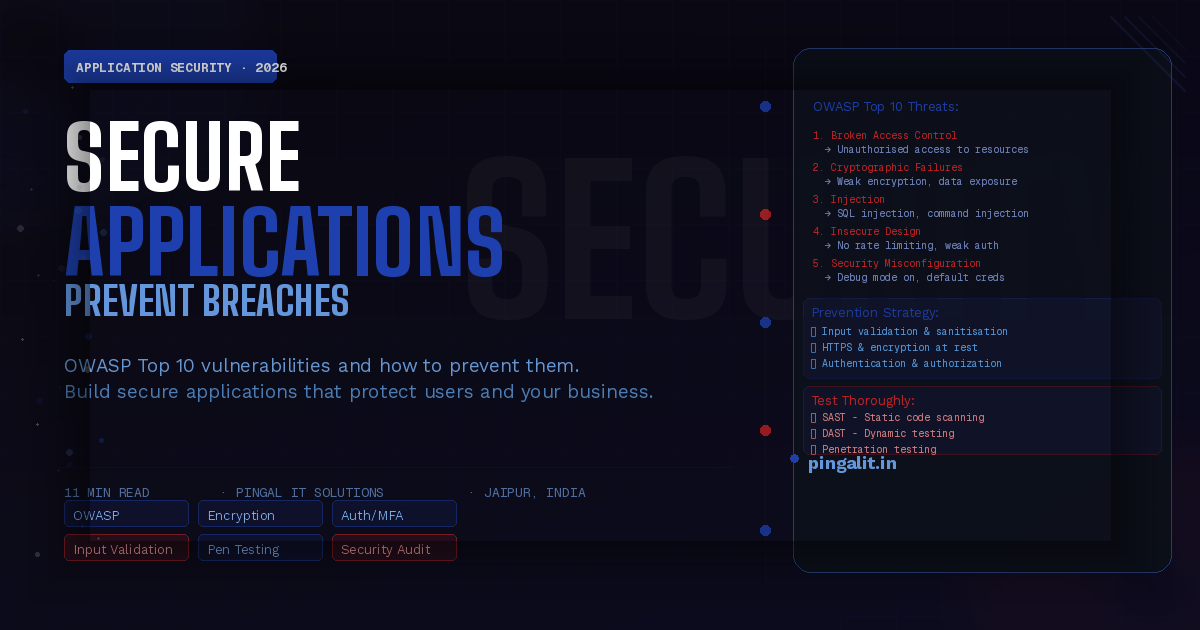
OWASP has ranked the top 10 most critical web application security risks. Every application should be built to prevent these.
1. Broken Access Control
What it is: Users can access resources or perform actions they shouldn't be able to.
Example: A user modifies the URL from `/account/123` to `/account/456` and can see another user's private data.
How to prevent:
- Verify user permissions on every backend request, not just the frontend
- Use role-based access control (RBAC): define what each role can do
- Test access control thoroughly: ensure users can't see/modify data they shouldn't
- Fail securely: deny access by default; only allow what's explicitly permitted
2. Cryptographic Failures
What it is: Sensitive data is transmitted or stored without proper encryption.
Example: Passwords stored in plaintext. Payment card data transmitted over unencrypted HTTP. API keys visible in logs.
How to prevent:
- Use HTTPS for all communication (never HTTP for production)
- Hash passwords with strong algorithms (bcrypt, scrypt, Argon2)
- Encrypt sensitive data at rest (database encryption)
- Never log passwords, API keys, or payment card data
- Use secure encryption algorithms (AES-256, not homemade encryption)
3. Injection
What it is: Attacker inserts malicious code that gets executed by the application.
Example: SQL Injection — an attacker inputs `'; DROP TABLE users; --` into a login form, and the database deletes the users table.
How to prevent:
- Use parameterised queries / prepared statements (never concatenate user input into queries)
- Validate and sanitise all user input
- Use ORM frameworks that handle SQL safely (Eloquent, SQLAlchemy)
- Run code with minimal privileges (database user shouldn't have DROP permissions)
4. Insecure Design
What it is: The application is architecturally insecure from the start.
Example: No rate limiting on login attempts, so attackers can brute-force passwords. No account lockout after failed logins.
How to prevent:
- Threat modelling: identify threats during design, not after development
- Security requirements: define what secure means before building
- Rate limiting: prevent brute-force attacks
- Account lockout: lock accounts after N failed login attempts
5. Security Misconfiguration
What it is: Infrastructure or application is configured insecurely by default.
Example: Debug mode enabled in production. Default credentials not changed. Unnecessary services running. Error messages revealing system information.
How to prevent:
- Disable debug mode in production
- Change all default passwords and secrets
- Remove unnecessary services and features
- Configure HTTP security headers (Content-Security-Policy, X-Frame-Options, etc.)
- Implement infrastructure-as-code to ensure consistent, secure configuration
6. Vulnerable and Outdated Components
What it is: Using libraries or frameworks with known security vulnerabilities.
Example: Using an old version of jQuery with a known XSS vulnerability. Using Rails 4 which is no longer supported.
How to prevent:
- Keep all dependencies up to date
- Use automated dependency scanning (Snyk, GitHub Dependabot, npm audit)
- Remove unused dependencies
- Only use libraries from trusted sources
- Monitor security advisories for your dependencies
7. Identification and Authentication Failures
What it is: Weak user identification or authentication mechanisms.
Example: Weak password requirements. No multi-factor authentication. Session tokens stored in logs. Account enumeration (revealing which emails are registered).
How to prevent:
- Enforce strong password requirements (or use passkeys)
- Implement multi-factor authentication (MFA) for sensitive accounts
- Use secure session management (short-lived tokens, secure cookies)
- Protect against account enumeration (don't reveal if an email is registered)
- Limit login attempts and implement CAPTCHA after N failures
8. Software and Data Integrity Failures
What it is: Updates or data are not properly verified, allowing attackers to inject malicious code.
Example: An unverified software update contains malware. A dependency is compromised.
How to prevent:
- Verify the integrity of downloaded dependencies (cryptographic signatures)
- Use secure, authenticated channels for updates
- Scan dependencies for vulnerabilities before using
9. Logging and Monitoring Failures
What it is: Security events are not logged or monitored, so breaches go undetected.
Example: Failed login attempts aren't logged. You don't notice an attacker accessing the system for weeks.
How to prevent:
- Log security-relevant events (login attempts, permission changes, data access)
- Alert on suspicious activity (N failed logins, access from unusual location)
- Retain logs for sufficient time to investigate incidents
- Centralise logs so they can't be deleted by attackers
- Monitor logs proactively; don't wait for users to report issues
10. Server-Side Request Forgery (SSRF)
What it is: Attacker tricks the server into making requests to unintended destinations.
Example: An attacker provides a URL to a function that fetches images. They provide an internal URL like `http://localhost:8080/admin`, and the server fetches it, revealing internal information.
How to prevent:
- Validate and whitelist URLs before fetching them
- Block access to private IP ranges (127.0.0.1, 10.0.0.0/8, etc.)
- Disable unnecessary URL schemes (file://, gopher://, etc.)
- Use network segmentation to limit what servers can reach
Other Critical Vulnerabilities (Beyond Top 10)
Cross-Site Scripting (XSS)
Attacker injects malicious JavaScript that runs in users' browsers. Can steal cookies, session tokens, or redirect users to phishing sites.
Prevention: Escape/sanitise user input. Use templating engines that auto-escape. Use Content Security Policy headers.
Cross-Site Request Forgery (CSRF)
Attacker tricks a user into performing unwanted actions (changing password, transferring money) by clicking a malicious link.
Prevention: Use CSRF tokens. Validate the origin of requests. Implement SameSite cookie flags.
Insecure Deserialization
Untrusted data is deserialised, allowing attackers to execute arbitrary code.
Prevention: Never deserialise untrusted data. If you must, use strict type checking. Use JSON instead of pickle/YAML.
Building Secure Applications — A Checklist
- ✅ Threat modelling: identify threats during design
- ✅ Secure by default: deny access by default; whitelist what's allowed
- ✅ Input validation: validate and sanitise all user input
- ✅ Authentication: strong passwords, MFA, session management
- ✅ Authorization: verify permissions on every backend request
- ✅ Encryption: HTTPS for transit, encryption at rest
- ✅ Logging and monitoring: log security events; alert on anomalies
- ✅ Dependency management: keep libraries updated; scan for vulnerabilities
- ✅ Error handling: don't reveal system information in errors
- ✅ Security testing: penetration testing, vulnerability scanning
Security Testing — Finding Vulnerabilities Before Attackers Do
- SAST (Static Application Security Testing) — scan code for vulnerabilities before running it
- DAST (Dynamic Application Security Testing) — test running application for vulnerabilities
- Penetration testing — simulate real attacks to find exploitable vulnerabilities
- Dependency scanning — find known vulnerabilities in libraries
- Manual security review — experienced security engineer reviews design and code
Tools: OWASP ZAP, Burp Suite, Snyk, SonarQube, npm audit
How Pingal IT Solutions Builds Secure Applications
At Pingal IT Solutions, security is not an afterthought. It's built in from the start.
- Threat modelling — we identify threats during design, not after launch
- Secure code review — security review is part of code review process
- Dependency management — we scan dependencies for known vulnerabilities
- Security testing — we perform penetration testing and security scanning
- OWASP compliance — we build to prevent the OWASP Top 10
- Secure infrastructure — encryption, access control, monitoring
Our security services include:
- Security architecture and threat modelling
- Secure code review
- Penetration testing and vulnerability assessment
- Security compliance (GDPR, PCI-DSS, HIPAA)
- Incident response and breach investigation
- Security training for development teams
Conclusion
Security is not a feature you add later. It's a foundation you build into every application from day one.
The vulnerabilities that lead to breaches are well-known. They're documented. They're preventable. Building applications that are secure by design is entirely within your control.
The only excuse for a preventable breach is negligence. Don't be negligent. Know the OWASP Top 10. Build to prevent them. Test for them. Your business depends on it.
Is your application secure? Talk to Pingal IT Solutions — we'll perform a security audit and show you exactly where vulnerabilities exist and how to fix them.