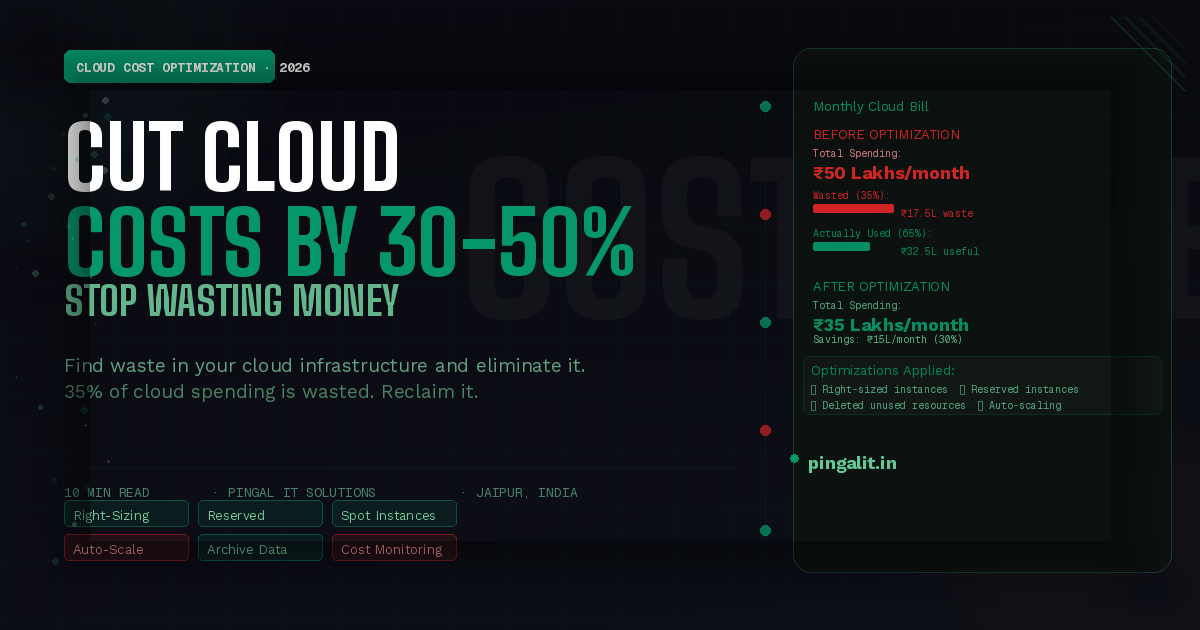
Your cloud bill arrived. It's triple what you expected. You're paying ₹50 lakhs per month for infrastructure, but only using half of it.
This is the norm, not the exception. 35% of cloud spending is wasted on unused or underutilised resources. Companies overprovision "just in case," forget to turn off test environments, and never audit what they're actually running.
The cloud promised efficiency. But without optimisation, it becomes expensive.
The good news: cloud cost optimisation is entirely within your control. Most companies can cut their cloud spend by 30-50% without sacrificing performance or reliability. You just need to know what to measure and how to optimise.
This guide explains where cloud spending leaks, how to identify waste, and what optimisation strategies actually work in 2026.
Why Cloud Gets Expensive — The Root Causes
1. Overprovisioning
Buying more capacity than you need "just in case." A developer provisions a t3.xlarge instance (expensive) when a t3.small would suffice. It sits underutilised for months.
2. Unused Resources
Volumes, snapshots, databases, and services that nobody remembers exist. A development environment spun up 6 months ago, now forgotten but still billing.
3. No Reserved Capacity Planning
Paying on-demand rates (most expensive) for resources you use 24/7. Reserved instances cost 50-70% less but require commitment.
4. Data Transfer Costs
Moving data between regions or out of the cloud is expensive. Logging 100 GB/day to an external service adds up.
5. No Monitoring or Alerts
You don't know what's running or how much it costs. Runaway processes, misconfigured auto-scaling, or security compromises (crypto mining) drain your budget.
6. Inefficient Architecture
Running databases that should be managed services. Using expensive storage for logs that could be compressed and archived. Not using caching to reduce database queries.
7. Paying for Idle Capacity
Auto-scaling that doesn't scale down. Instances running 24/7 that only need to run during business hours.
How to Measure Cloud Spending — Visibility Is First
You can't optimise what you don't measure. Start with visibility.
Break Down Spending by Service
Know exactly how much you spend on:
- Compute (EC2, Lambda)
- Storage (S3, EBS, RDS)
- Data transfer
- Managed services (RDS, ElastiCache, etc.)
- Support
Many teams are shocked to discover their storage bill exceeds compute. Or that data transfer costs are massive.
Track Spending Over Time
Create monthly reports. Has spending grown? By how much? Why? Is it expected growth (more users) or waste?
Allocate Costs to Teams
If team A's services cost ₹10 lakhs/month and team B's cost ₹5 lakhs/month, they should know. Cost visibility drives cost-conscious decisions.
Set Budgets and Alerts
Define: "We should spend ₹50 lakhs/month." Alert when spending approaches 80%. This catches runaway costs before they destroy your budget.
Tools: AWS Cost Explorer, Azure Cost Management, Google Cloud Billing, Kubecost (for Kubernetes)
Cloud Cost Optimization Strategies
1. Right-Size Instances
Analyse actual CPU and memory usage. If an instance runs at 10% utilisation, downsize it. A t3.xlarge running at 10% should be a t3.small.
Savings: 30-50% on compute costs | Tools: AWS Compute Optimizer, Azure Advisor
2. Use Reserved Instances (RIs) or Savings Plans
Commit to 1-3 years of capacity upfront. Get 40-50% discount vs on-demand pricing.
For predictable workloads (databases, always-on services), RIs are a no-brainer.
Savings: 40-70% on predictable capacity | Commitment: Must know your baseline capacity
3. Use Spot Instances for Batch Work
Spot instances are unused cloud capacity sold at massive discount (70-90% cheaper than on-demand). They can be interrupted, so only use for fault-tolerant workloads.
Good for: batch processing, CI/CD, data analysis | Bad for: databases, critical services
Savings: 70-90% on compute (with interruption risk)
4. Eliminate Unused Resources
- Delete unused volumes and snapshots
- Terminate unused instances
- Remove old databases
- Clean up unused load balancers
Savings: 5-20% (quick wins) | Tools: AWS Trusted Advisor, cost management dashboards
5. Compress and Archive Old Data
Store data in cheaper tiers as it ages:
- Hot data (recent) → S3 standard (expensive, fast access)
- Warm data (months old) → S3 IA (infrequent access, cheaper)
- Cold data (1+ years) → Glacier (very cheap, slow access)
Example: 10 TB of hot data costs ₹2,000/month. Moving 8 TB to cold storage costs ₹160/month. Savings: ₹1,840/month.
Savings: 50-90% on storage (for old data)
6. Use Managed Services Instead of Self-Managed
- Instead of: EC2 + PostgreSQL → Use: RDS (managed)
- Instead of: EC2 + Redis → Use: ElastiCache (managed)
- Instead of: EC2 + Elasticsearch → Use: Managed Elasticsearch
Managed services cost more per unit but eliminate infrastructure management overhead. For small teams, they're worth it.
7. Optimise Data Transfer
- Avoid cross-region transfer (most expensive). Keep data in one region.
- Compress data before transfer
- Use CloudFront (CDN) to serve content from edge locations (cheaper)
- Consider S3 Transfer Acceleration for large transfers
Savings: 30-50% on data transfer costs
8. Auto-Scale Correctly
- Scale up when load increases ✓
- Scale down when load decreases ✓ (most teams miss this)
- Set minimum capacity (don't scale to zero if you need availability)
- Schedule scaling if load is predictable (e.g., shut down non-prod at night)
Savings: 20-40% (for workloads with variable load)
9. Optimise Databases
- Delete unused indices (faster writes, less storage)
- Archive old data out of hot database
- Right-size database instances (don't use premium tier for dev)
- Use read replicas only when needed
Savings: 10-30% on database costs
10. Implement Cost Monitoring and Governance
- Tagging: Tag all resources by team, environment, project. Track spending by tag.
- Policies: "No production instances without reserved capacity." "Non-prod must use smallest instance sizes."
- Alerts: Alert when spending exceeds budget. Alert when resources are idle.
- Reviews: Monthly cost reviews with team leads.
Cloud Cost Optimization Quick Wins
These provide immediate savings with minimal effort:
| Optimization | Effort | Savings | Time to Implement |
|---|---|---|---|
| Delete unused resources | Low | 5-10% | 1 day |
| Right-size instances | Medium | 20-30% | 1-2 weeks |
| Buy reserved instances | Low | 40-50% | 1 day |
| Compress/archive data | Medium | 30-50% | 2-4 weeks |
| Optimize data transfer | Low | 20-30% | 3-5 days |
| Schedule non-prod shutdown | Low | 15-25% | 1 day |
Start with quick wins. After 2-4 weeks, you should see 20-30% reduction.
Cloud Cost Optimization Checklist
- ✅ Review your cloud bill monthly
- ✅ Break down spending by service
- ✅ Set up cost alerts and budgets
- ✅ Right-size instances based on actual usage
- ✅ Buy reserved instances for baseline capacity
- ✅ Use spot instances for fault-tolerant workloads
- ✅ Delete unused resources (volumes, snapshots, instances)
- ✅ Archive old data to cheaper storage tiers
- ✅ Optimise data transfer (avoid cross-region)
- ✅ Implement auto-scaling with scale-down
- ✅ Tag all resources for cost allocation
- ✅ Schedule non-production environments (shut down at night)
Common Cloud Cost Mistakes
Mistake 1: "We'll Optimise Later"
Every month you don't optimise is money wasted. Start now. Savings compound.
Mistake 2: Not Tracking Costs by Team
If team A doesn't know their services cost ₹20 lakhs/month, they have no incentive to optimise.
Mistake 3: Buying Reserved Instances for Variable Workloads
If your workload varies wildly, spot instances make more sense than reserved.
Mistake 4: Not Monitoring Third-Party Integrations
A misconfigured webhook that sends logs to an external service can drain ₹10 lakhs/month in data transfer without anyone noticing.
Mistake 5: Ignoring Non-Compute Costs
Engineers focus on EC2 but ignore storage, data transfer, and managed services. Storage and data transfer can be 40%+ of the bill.
How Pingal IT Solutions Optimises Cloud Costs
At Pingal IT Solutions, cost optimisation is part of every project we build.
- Right-sizing from day one — we provision based on expected load, not worst-case
- Reserved instances strategy — we identify baseline capacity and buy RIs
- Cost monitoring — we implement cost tracking and alerting
- Continuous optimisation — we review costs monthly and optimise
- Architecture for cost — we design infrastructure to minimise cost
Our cloud cost optimisation services include:
- Cloud cost audit and analysis
- Right-sizing recommendations
- Reserved instance purchasing strategy
- Architecture redesign for cost
- Cost monitoring and alerting setup
- Continuous cost optimisation
Conclusion
35% of cloud spending is wasted. That's your opportunity.
Cloud cost optimisation isn't about being cheap. It's about being smart. You pay for what you use, use what you pay for, and architect for efficiency.
Most companies can cut costs by 30-50% in 2-3 months with no performance impact. That's ₹15-25 lakhs/month in savings for a ₹50 lakh cloud bill.
Start measuring. Start optimising. Your CFO will thank you.
Ready to cut your cloud bill? Talk to Pingal IT Solutions — we'll audit your cloud infrastructure and identify exactly where money is being wasted and how to reclaim it.