Your application is slow. Users complain. Your team blames the frontend. Your frontend team blames the backend. Everyone investigates. The real culprit? A poorly designed database query that scans 10 million rows when it should scan 100.
In most applications, performance problems aren't in the code logic. They're in the database. A single slow query kills user experience, increases server costs, and limits how many users your application can serve.
Yet most teams treat the database as an afterthought. They focus on writing clean application code while the database slowly becomes a bottleneck. By the time they notice, optimising is expensive and complex.
This guide explains database design principles, common performance problems, and how to build databases that scale with your business instead of constraining it.
The Cost of Database Problems
Poor database design creates a cascade of problems:
- Slow page loads — users wait 5+ seconds for pages to load, bounce, and never return
- Poor user experience — buttons don't respond, timeouts occur, application feels broken
- Wasted server resources — a slow query consumes CPU and memory for seconds; multiply by thousands of users and your infrastructure bill spikes
- Scaling impossibility — you can't handle more users because the database is already maxed out
- Expensive fixes — optimising a poorly designed database after launch is 10x more expensive than designing it correctly from the start
The economics are stark: proper database design costs weeks upfront but pays for itself within months in avoided infrastructure costs and improved user retention.
Database Design Principles — Foundation Matters
1. Normalisation — Avoid Data Redundancy
Normalisation is the practice of organising data to eliminate redundancy. Instead of storing "user name, user email, user address" in every order record, you store a user_id and look up the name/email/address from the users table.
Benefits:
- Consistency — update a user's email once, it's updated everywhere
- Storage efficiency — store data once, reference it many times
- Query efficiency — smaller tables, faster queries
2. Indexing — Make Queries Fast
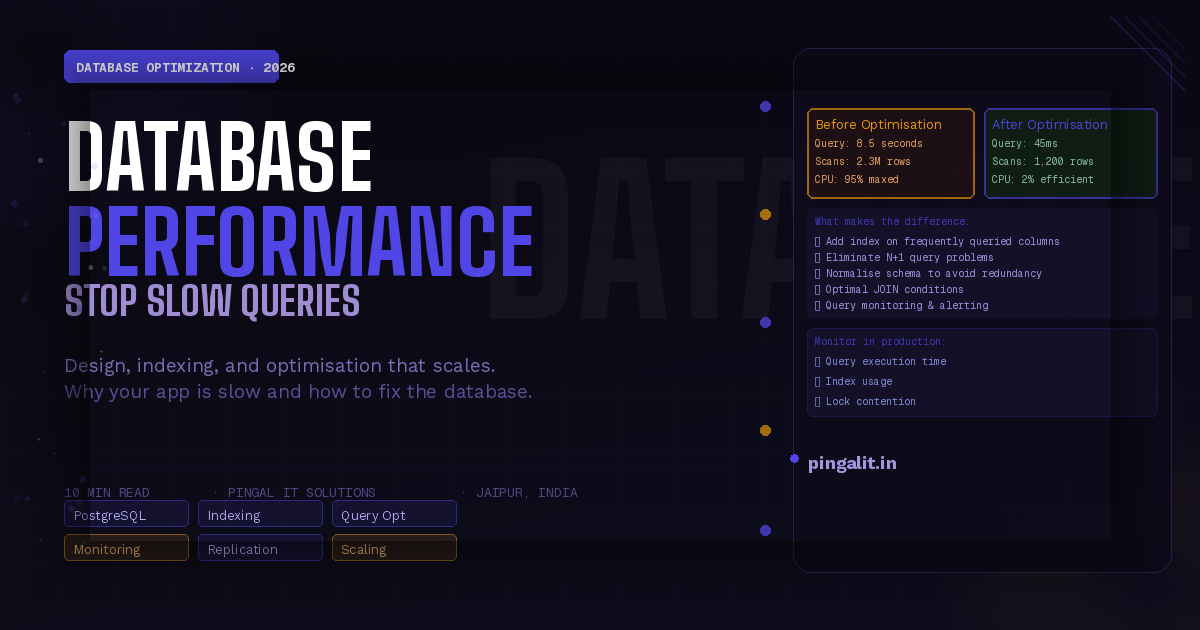
Without indices, the database reads every row in a table to find what you're looking for. With proper indices, it finds what you need in milliseconds.
Create indices on columns you query frequently:
- Primary keys (user_id, order_id) — always indexed
- Foreign keys (user_id in orders table) — used in joins
- Filter columns (status, created_at) — used in WHERE clauses
- Sort columns (created_at, updated_at) — used in ORDER BY
Indices have a cost: they slow down writes (inserts/updates) because the index must be updated. Balance read and write performance.
3. Query Optimisation — Make Expensive Queries Cheap
Two queries can produce identical results but one takes 10 seconds and one takes 10 milliseconds. The difference is how they're written.
Common mistakes:
- N+1 queries — fetching a list of users (1 query), then fetching each user's orders (N queries). This is catastrophically slow at scale.
- Full table scans — querying without using available indices
- Multiple joins — joining 5+ tables in one query is often slow; sometimes splitting into multiple queries is faster
- Aggregations on unindexed data — counting/summing rows without an index requires reading every row
4. Data Types Matter
Using the right data type affects both storage and query speed:
- VARCHAR(255) vs TEXT — for strings under 255 characters, use VARCHAR; it's more efficient
- INT vs BIGINT — INT is sufficient for most IDs; don't use BIGINT unless necessary
- DATETIME vs TIMESTAMP — TIMESTAMP is more space-efficient for storing time
- JSON columns — JSON is flexible but slower to query; normalise if you're querying the JSON frequently
5. Denormalisation — When Redundancy Is Worth It
Sometimes the performance cost of normalisation outweighs the benefits of avoiding redundancy. Denormalisation — intentionally storing redundant data — is acceptable when:
- You're repeatedly calculating the same expensive aggregate (total orders, user account balance)
- Reads vastly outnumber writes
- The redundant data is infrequently updated
Example: store a user's order count in the users table. It's redundant (could be calculated), but queries are much faster. Update it whenever an order is placed. This is intentional, documented denormalisation, not sloppy design.
Common Database Performance Problems and Fixes
| Problem | Symptom | Root Cause | Fix |
|---|---|---|---|
| N+1 Queries | Queries from 10 to 1000+ suddenly | Fetching related data in a loop | Use JOIN or batch loading |
| Missing Indices | Query takes seconds, slows down proportionally with data | Filtering on unindexed columns | Add indices on frequently filtered columns |
| Too Many Joins | Query is complex and slow | Joining 5+ tables with complex conditions | Split into multiple simpler queries or denormalise |
| Full Table Scans | Query is fast with 1000 rows, slow with 1M | No WHERE clause or filtering on unindexed column | Add index on filter column |
| Slow Aggregates | COUNT/SUM queries take long time | Aggregating over millions of rows without index | Add index or maintain running count |
| Lock Contention | Queries work individually but slow together | Multiple processes updating same rows simultaneously | Reduce lock duration; use row-level locking |
Database Monitoring — Catching Problems Before They Break
You can't optimise what you don't measure. Database monitoring should track:
- Query execution time — identify slow queries automatically
- Query frequency — which queries are run most often (optimise these first)
- Index usage — which indices are actually being used vs wasting space
- Database size — track growth over time; alert when approaching limits
- Connection count — ensure you're not running out of connections
- Lock wait time — high lock waits indicate contention
- CPU and memory usage — database should not max out either
Tools: MySQL's PERFORMANCE_SCHEMA, PostgreSQL's pg_stat_statements, DataDog, New Relic, Prometheus
Scaling Databases — When Single Server Isn't Enough
Read Replicas
As read queries increase, add read replicas — copies of the database that handle only reads while the primary handles writes. Reads scale; writes stay on the primary.
Sharding
When even optimised queries can't handle write volume, split data across multiple databases (shards). User 1-1000 on shard 1, users 1001-2000 on shard 2, etc. This is complex and should be a last resort.
Caching
Cache frequently accessed data in Redis or Memcached. This is often easier and cheaper than scaling the database.
Connection Pooling
Each database connection consumes resources. Use connection pooling to reuse connections across multiple application processes.
Choosing the Right Database
| Database | Best For | Trade-Offs |
|---|---|---|
| PostgreSQL | General purpose, complex queries, ACID transactions | Slightly slower than MySQL for simple queries; more powerful |
| MySQL | Simple, reliable, high read volume | Less powerful for complex operations; weaker default transaction guarantees |
| MongoDB | Flexible schema, nested documents, rapid iteration | Slower joins; more memory; eventual consistency by default |
| Redis | Caching, real-time leaderboards, sessions, message queues | In-memory only; limited persistence; not suitable as primary database |
| Elasticsearch | Full-text search, logging, analytics | Not a general-purpose database; requires extra infrastructure |
For most business applications, PostgreSQL is the default choice. It's powerful, reliable, and has excellent performance characteristics.
Database Design Checklist — Before Going to Production
- ✅ Have you normalised your schema to eliminate obvious redundancy?
- ✅ Have you indexed all frequently queried columns?
- ✅ Have you eliminated N+1 query problems?
- ✅ Have you tested query performance with production-scale data?
- ✅ Have you configured monitoring and alerting for slow queries?
- ✅ Have you planned for backup and disaster recovery?
- ✅ Have you stress-tested the database to understand limits?
- ✅ Have you documented your schema and key design decisions?
If you answer no to any of these, your database isn't ready for production.
How Pingal IT Solutions Designs Databases
At Pingal IT Solutions, database design is a critical part of every project. We don't let developers decide schema in isolation.
Our approach:
- Requirements first — understand data structure and access patterns before designing schema
- Performance modelling — design with expected query patterns and scale in mind
- Index strategy — identify which indices are needed based on queries
- Load testing — test the database with realistic data volume and query load before launch
- Monitoring setup — production database monitoring and alerting from day one
- Ongoing optimisation — continuous monitoring and query optimisation as data grows
Our database services include:
- Schema design and data modelling
- Query optimisation and index strategy
- Database performance audits
- Migration from one database to another
- Replication and failover setup
- Backup and disaster recovery planning
Conclusion
Your application's performance is only as good as your database. A well-designed database with proper indices and optimised queries will handle millions of users efficiently. A poorly designed database will struggle with thousands.
Invest in database design upfront. It pays for itself countless times over in avoided infrastructure costs, improved user experience, and reduced operational headaches.
Is your database the bottleneck? Talk to Pingal IT Solutions — we'll audit your database design and show you exactly where performance improvements can be gained.