Every day, Indian SMBs receive emails about "critical security vulnerabilities," "urgent updates needed," and "your website is at risk." The volume of security noise is overwhelming — and it causes many business owners to either panic or tune it out entirely.
The truth about cybersecurity for small businesses is simpler than the noise suggests: most attacks on SMBs are not sophisticated. They are not targeted hacking operations. They are automated, opportunistic exploits aimed at the easiest targets — businesses that have neglected the fundamentals.
This guide cuts through the noise and focuses on what actually matters for protecting your business, your customer data, and your reputation in 2026.
The Reality of Cybersecurity Risk for Indian SMBs
A common misconception is that small businesses are too small to be targeted by hackers. The reality is the opposite. SMBs are frequently targeted specifically because they have weaker defences than enterprises, but access to valuable data and payment systems.
Consider the numbers:
- 43% of cyberattacks target small businesses — yet only 14% of SMBs are confident in their security posture
- The average cost of a data breach for an SMB is ₹45 lakhs+ — in downtime, recovery, legal liability, and reputation damage
- 60% of SMBs that experience a significant breach go out of business within 6 months
- The majority of breaches are caused by human error, weak passwords, and unpatched software — not sophisticated hacking
- Ransomware attacks on Indian SMBs have increased 300% in the last two years
The silver lining: the same fundamentals that would prevent the majority of these attacks are straightforward and affordable for any business to implement.
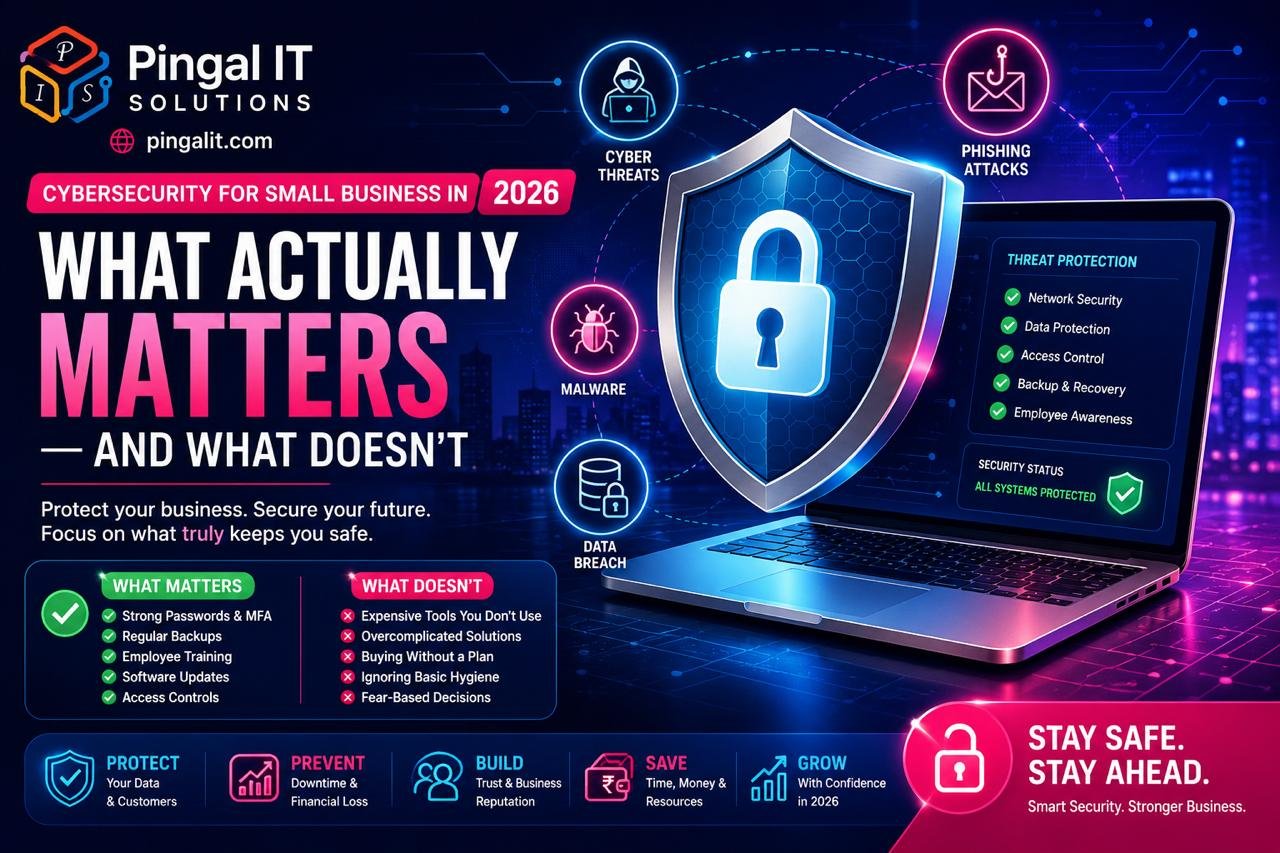
The 5 Security Pillars That Actually Protect SMBs
1. Access Control — Who Can Do What
The majority of security breaches begin with compromised credentials — someone's password is weak, reused, or stolen. Control who has access to what, and you eliminate the largest attack vector.
Implementation:
- Strong password policy — minimum 12 characters, unique per person, changed every 90 days
- Multi-factor authentication (MFA) — require a second factor (phone, authenticator app) for login to critical systems
- Principle of least privilege — grant employees only the access they need for their role, not blanket admin access
- Regular access reviews — quarterly check of who has access to what, removing access for departed employees immediately
Cost: Low to free (most platforms offer MFA at no additional cost). Impact: Prevents 60% of common attacks.
2. Patch Management — Keeping Software Current
Hackers don't find new vulnerabilities — they exploit known vulnerabilities in software that hasn't been patched. Operating systems, applications, plugins, and firmware are constantly being updated with security fixes. Running outdated versions is like leaving your front door unlocked.
Implementation:
- Operating system patches — enable automatic updates on all Windows, Mac, and Linux systems
- Application updates — keep Office, browsers, Zoom, and other software current
- Plugin and extension updates — WordPress plugins, browser extensions, and third-party tools must be regularly updated
- Firmware updates — routers, printers, and other network devices need firmware updates
- Patch management schedule — test patches in a non-production environment first, deploy on a regular schedule (monthly minimum)
Cost: Free to low (mostly labour). Impact: Prevents 40% of exploitable vulnerabilities.
3. Data Backup and Recovery
Ransomware attacks encrypt your files and demand payment for decryption. The only reliable defence is a complete, recent backup that can be restored if the worst happens. A backup that you've never tested is not a real backup.
Implementation:
- Daily automated backups — critical business data should be backed up daily, at minimum
- Off-site storage — backups must be stored somewhere other than your local network (cloud, external hard drive)
- 3-2-1 rule — keep 3 copies of your data, on 2 different media types, with 1 copy off-site
- Backup testing — monthly restoration test of at least a subset of data to confirm backups are working
- Immutable backups — use backup systems that prevent deletion or modification by ransomware
Cost: ₹2,000-10,000 monthly (cloud storage + managed backup service). Impact: Enables recovery from ransomware without paying attackers.
4. Network Security and Monitoring
Your network is the boundary between your trusted internal environment and the untrusted internet. Monitoring network activity allows you to detect and respond to attacks in progress, rather than discovering them weeks later.
Implementation:
- Firewall — all internet traffic should pass through a modern firewall with threat detection enabled
- Intrusion detection — systems that alert you to suspicious network activity
- Network segmentation — separate your customer-facing systems from internal systems, and critical servers from general office networks
- VPN for remote access — employees accessing systems from home should use a VPN
- Log monitoring and alerting — automated alerts on unusual login patterns, failed access attempts, and data access
Cost: ₹1,000-5,000 monthly (managed firewall + monitoring). Impact: Detects attacks in progress and enables rapid response.
5. Employee Security Awareness
Your employees are your security perimeter. A well-intentioned employee clicking a malicious link, opening an infected attachment, or revealing a password to a social engineer is often how attacks begin. Regular training dramatically reduces this risk.
Implementation:
- Security awareness training — quarterly 30-minute training on phishing, social engineering, password security, and data handling
- Phishing simulations — send fake phishing emails to employees; those who click are coached, not punished
- Clear security policies — documented policies on password management, data handling, USB device use, and acceptable use
- Reporting mechanisms — employees should know who to contact if they suspect a security issue, without fear of punishment
- Leadership buy-in — security is everyone's responsibility; leadership must model secure behaviour
Cost: ₹500-2,000 per employee annually. Impact: Reduces human-error-caused breaches by 80%.
What You Don't Need (And Why)
Many security vendors sell expensive solutions to problems SMBs don't have. Understanding what you actually don't need saves money and complexity:
- Advanced endpoint detection and response (EDR) — sophisticated for enterprise; most SMBs benefit from basic antivirus first
- SIEM (Security Information and Event Management) — requires dedicated staff to manage; managed SIEM services are a better fit for SMBs
- Penetration testing annually — useful for high-risk businesses; quarterly security audits are more practical for most SMBs
- Every security tool on the market — focus on the 5 pillars above; everything else is secondary
Cost-Effective Security Implementation — A Realistic Budget
You don't need unlimited budget to have solid security. A small business can achieve strong security posture for ₹3,000-8,000 per month:
| Component | Monthly Cost (Approx.) | Purpose |
|---|---|---|
| Cloud backup (Backblaze / Acronis) | ₹1,000-2,000 | Data recovery from ransomware/failure |
| Managed firewall + monitoring | ₹2,000-4,000 | Network threat detection |
| Antivirus + endpoint protection (Sophos / Kaspersky) | ₹500-1,500 | Malware prevention |
| Password manager (1Password / LastPass) | ₹300-500 | Secure credential management |
| MFA for critical systems (free tier) | ₹0 | Second factor authentication |
| Security awareness training (Knowbe4) | ₹500-1,000 | Employee security education |
| Total | ₹4,300-9,000 | Comprehensive baseline security |
This is modest — less than most businesses spend on office coffee — and covers the fundamentals that prevent the vast majority of attacks.
Compliance and Regulations — What You Actually Need to Know
For businesses handling sensitive data in India, understanding compliance requirements is important:
- GDPR (if you have EU customers) — requires documented security practices and incident response procedures
- DPDP Act (if you handle Indian personal data) — India's data protection law, focusing on consent and data minimisation
- ISO 27001 — global standard for information security management; useful if you have enterprise clients
- Industry-specific regulations — healthcare (HIPAA-equivalent), finance (RBI requirements), e-commerce (Payment Card Industry standards)
For most SMBs, documenting your security practices and building them into the 5 pillars above puts you in reasonable compliance posture.
Incident Response — What to Do When Something Goes Wrong
Despite your best efforts, security incidents happen. How you respond determines whether it becomes a minor incident or a business-ending disaster.
Your incident response plan should include:
- Detection — how you will know a breach has occurred (logs, alerts, customer reports)
- Containment — immediate steps to stop the attack and prevent spread (isolate affected systems, change passwords)
- Investigation — understand what happened, what data was affected, when the breach began
- Communication — notify affected parties, legal counsel, and authorities as required
- Recovery — restore systems and data from backups, patch vulnerabilities
- Post-incident — determine root cause, implement preventive measures, document lessons learned
Having this documented before an incident occurs allows you to respond calmly and systematically rather than panicking.
How Pingal IT Solutions Approaches Security
At Pingal IT Solutions, Jaipur, security is embedded in every application we build and every system we deploy. We don't treat security as an afterthought or a separate project. It is foundational.
Our approach covers:
- Secure application development — all code is written with security best practices from the start
- Infrastructure hardening — servers, databases, and networks are configured to minimise attack surface
- Security audits — regular assessment of applications and systems to identify vulnerabilities
- Backup and disaster recovery — reliable backup and tested recovery procedures for business continuity
- Incident response support — rapid response when security incidents occur
- Security consulting — helping businesses implement the 5 pillars and build security culture
Conclusion
Cybersecurity for SMBs is not about hiring expensive consultants or implementing complex systems. It is about disciplined implementation of fundamentals: strong access control, current software, reliable backups, network monitoring, and employee awareness.
The businesses that get hacked are not the ones with the largest attack surface. They are the ones that neglect the basics. You don't need to be perfect. You need to be harder to attack than the alternative targets.
If you want an honest assessment of your current security posture, talk to Pingal IT Solutions — we'll audit your systems and recommend practical, cost-effective improvements.