Most software teams release updates the way their grandparents might have: carefully, nervously, with lots of manual steps and crossed fingers that nothing breaks in production. A developer finishes a feature, sends it to QA, QA tests it manually, QA approves it, a DevOps person manually deploys it to a server, and everyone holds their breath for 24 hours waiting to see if something explodes.
Modern software teams do it differently. They commit code. Automated tests run immediately. If tests pass, the code is automatically deployed to production. The whole cycle takes minutes, not weeks. And because each deployment is small and automated, failures are rare and easily rolled back.
This is DevOps and CI/CD (Continuous Integration / Continuous Deployment), and in 2026, it's no longer optional for any team shipping software. This guide explains what it is, why it matters, and what it actually takes to implement it.
The Problem with Traditional Deployments
Before DevOps, software releases were events. A team would spend weeks in "release freeze" preparing for a big deployment. The longer between deployments, the more changes accumulated, and the larger the risk that something broke.
Consequences:
- Slow time-to-market — a bug fix or feature can take weeks to reach users
- Risk and fear — large deployments are frightening; one mistake breaks everything
- Wasted developer time — developers spend more time managing deployment process than shipping features
- Quality suffers — manual testing misses edge cases; no time for proper QA
- Knowledge silos — only one person knows how to deploy; if they're unavailable, nothing ships
The DevOps approach flips this: automate everything, deploy constantly (sometimes dozens of times per day), and because each deployment is small, failures are contained and easy to fix.
What Is DevOps — And Why Is It Not Just "Operations"?
DevOps is a cultural shift, not just a set of tools. The core idea: developers and operations teams should work together, not in silos. Developers should understand production. Operations should understand the development process.
Practically, DevOps means:
- Shared responsibility — developers care about reliability and performance, not just features; operations teams care about enabling fast deployments
- Automation over manual work — testing, deployment, monitoring, and alerting are automated, not manual checklists
- Infrastructure as code — infrastructure is defined in version-controlled files, not configured manually on servers
- Continuous feedback — production metrics flow back to development teams; they see what's breaking and fix it
CI/CD Explained — The Practices That Transform Development
Continuous Integration (CI)
Every time a developer commits code, automated tests run immediately. If tests pass, the code is automatically built and packaged. If tests fail, the developer is notified immediately and can fix it while the code is still fresh in their mind.
This prevents the nightmare scenario where you integrate code from five developers at once and spend a week debugging. Small, frequent integrations with immediate feedback create a smoother development process.
Continuous Deployment (CD)
Once code passes all automated tests, it is automatically deployed to production. No manual approval, no waiting for a deployment window, no nervousness. The deployment is automated and reproducible, so it's nearly as reliable as running it locally.
This is the revolutionary part: features that developers finish in the morning can be live for users by lunchtime. Bug fixes deployed in minutes, not weeks.
Continuous Delivery (also CD)
Similar to continuous deployment, but the final step to production requires manual approval. Code is automatically tested, built, and staged, but a human must click "deploy." This is a middle ground for teams not yet confident in full automation.
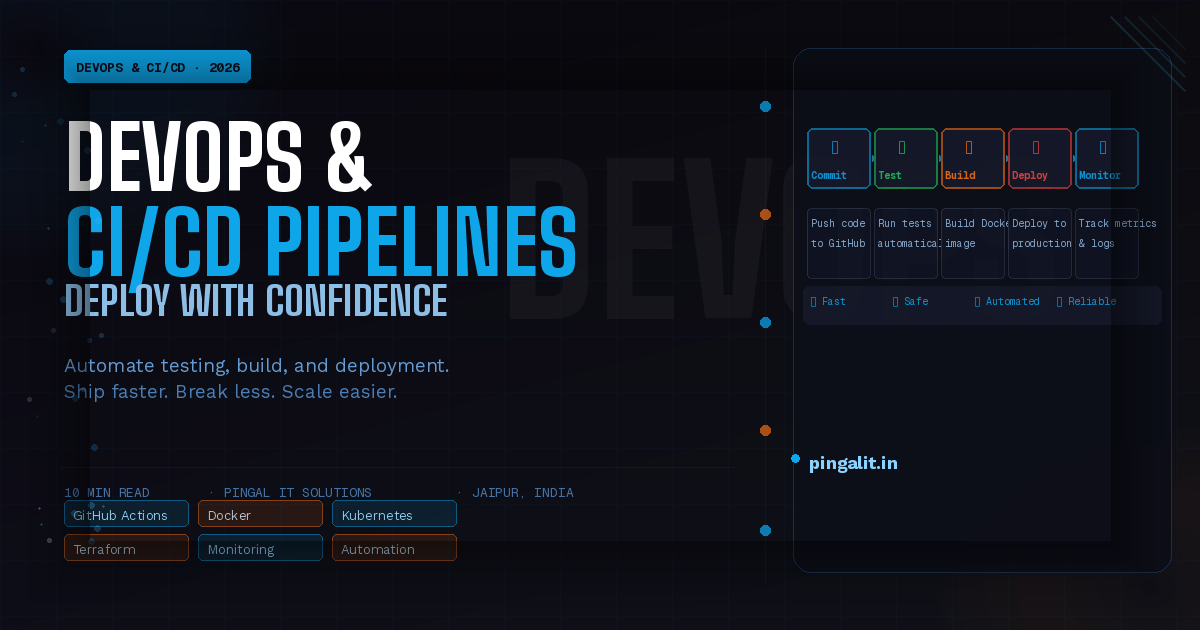
A Typical CI/CD Pipeline — What It Looks Like
Step 1: Developer commits code
Developer pushes code to GitHub/GitLab. This triggers the pipeline automatically.
Step 2: Code checkout and build
The pipeline checks out the latest code, installs dependencies, and builds the application.
Step 3: Automated tests run
Unit tests, integration tests, and end-to-end tests run against the built application. If any test fails, the pipeline stops and the developer is notified.
Step 4: Code quality analysis
Static analysis tools (SonarQube, CodeClimate) scan the code for bugs, security issues, and style violations. These don't block deployment but flag concerns.
Step 5: Security scanning
Dependency scanning checks for known vulnerabilities in libraries. If a vulnerable dependency is detected, the pipeline alerts the team.
Step 6: Build Docker image (for containerised apps)
The application is packaged into a Docker container, which is stored in a registry. This ensures the same code runs identically in production as it did locally.
Step 7: Deploy to staging
The Docker image is deployed to a staging environment — a replica of production. Smoke tests run against staging to verify the deployment worked.
Step 8: Manual approval (if using Continuous Delivery)
If configured for manual approval, a human reviews the changes and clicks "deploy." If configured for full automation, the next step happens automatically.
Step 9: Deploy to production
The Docker image is deployed to production servers. Monitoring and alerting immediately flag any issues.
Step 10: Monitoring and feedback
Application metrics, logs, and errors flow back to developers in dashboards. If something breaks, the team is alerted immediately and can roll back the deployment or fix the issue.
This entire process, from commit to production, takes 5-20 minutes for most applications.
Tools of the Trade — The Technology Stack
| Layer | Popular Tools | Purpose |
|---|---|---|
| Version Control | GitHub, GitLab, Bitbucket | Hosting code and triggering pipelines on commits |
| CI/CD Platform | GitHub Actions, GitLab CI, Jenkins, CircleCI | Running automated tests, builds, and deployments |
| Container Registry | Docker Hub, AWS ECR, GitHub Container Registry | Storing and versioning Docker images |
| Container Orchestration | Kubernetes, Docker Swarm, AWS ECS | Running and scaling containers in production |
| Infrastructure as Code | Terraform, CloudFormation, Pulumi | Defining and provisioning infrastructure via code |
| Monitoring & Alerting | Prometheus, Grafana, DataDog, New Relic | Observing application health and alerting on issues |
| Logging | ELK Stack, Splunk, CloudWatch | Centralised log collection and searching |
You don't need all of these. Start with version control + CI/CD platform + basic monitoring. Add layers as you scale.
Benefits of CI/CD — What You Get in Exchange for Investment
Faster Feature Delivery
Without CI/CD, a feature takes weeks from completion to production. With CI/CD, hours or minutes. This compounds: businesses that deploy frequently ship more features, iterate based on user feedback faster, and out-innovate competitors.
Fewer Bugs in Production
Automated testing catches bugs before they reach users. Every commit is tested; regressions are caught immediately. The result: higher quality software and fewer emergency fixes.
Reduced Manual Work
Deployments, testing, server provisioning — all automated. Your team spends time on valuable work, not repetitive manual tasks.
Confidence and Safety
Developers can deploy fearlessly. If something breaks, roll it back in seconds. This psychological shift — from "deployment is scary" to "deployment is routine" — is transformative for team morale and productivity.
Reliability
Automated infrastructure means servers are configured identically every time. No "it works on my machine" surprises. No configuration drift where production diverges from what you think it is.
Compliance and Auditability
Every change is logged. You know exactly what's in production, when it was deployed, and by whom. This is valuable for compliance requirements.
Common CI/CD Mistakes — And How to Avoid Them
Mistake 1: Starting with Full Automation
Begin with continuous integration (automated testing). Add continuous deployment once you're confident in your test coverage. Don't automate deployment if you don't trust your tests.
Mistake 2: Insufficient Test Coverage
If you deploy automatically but your tests don't catch real bugs, you're shipping broken code automatically. Unit tests alone are insufficient; add integration and end-to-end tests.
Mistake 3: No Monitoring in Production
If you don't monitor production, you won't know that a deployment broke something until users complain. Set up metrics, logs, and error tracking before deploying.
Mistake 4: Manual Configuration Management
If you manually configure servers, your infrastructure isn't reproducible. Use infrastructure-as-code (Terraform, CloudFormation) so your infrastructure is version-controlled and repeatable.
Mistake 5: Treating DevOps as Solely an Operations Team Responsibility
DevOps only works if developers care about reliability and operations cares about developer velocity. It's a cultural shift, not just a tool choice.
Getting Started with CI/CD — A Practical Plan
Phase 1: Version Control (Week 1)
If you haven't already, move all code to GitHub/GitLab. Use meaningful commit messages. Require code review via pull requests.
Phase 2: Automated Testing (Week 2-3)
Write unit tests for your core business logic. Aim for 70%+ code coverage. Integrate a test runner into your CI platform (GitHub Actions is free and sufficient for most teams).
Phase 3: Automated Builds (Week 3-4)
Automate building your application. For containerised apps, build a Docker image on every commit.
Phase 4: Automated Deployment to Staging (Week 4-5)
Deploy to a staging environment automatically after tests pass. Run smoke tests to verify the deployment worked.
Phase 5: Manual Deployment to Production (Week 5-6)
Add a manual approval step to deploy from staging to production. This gives you time to review changes before going live.
Phase 6: Monitoring and Alerting (Week 6+)
Set up dashboards for application metrics, error rates, and performance. Configure alerts to notify the team if something breaks.
Phase 7: Full Automation (Ongoing)
Once you're confident in monitoring and rollback procedures, remove the manual approval step and move to full continuous deployment.
How Pingal IT Solutions Implements DevOps
At Pingal IT Solutions, Jaipur, every application we build includes CI/CD from day one. We don't retrofit it later. Our standard approach includes:
- GitHub/GitLab for version control with protected main branches
- GitHub Actions or GitLab CI for automated testing, building, and deployment
- Docker containerisation for consistent prod/dev parity
- Automated testing (unit, integration, end-to-end)
- Staging environment that mirrors production
- Monitoring and alerting on core metrics
- Infrastructure as code (Terraform) for reproducible infrastructure
- Documented runbooks for common issues
Our DevOps services include:
- CI/CD pipeline design and implementation
- Docker containerisation and Kubernetes orchestration
- Infrastructure as code setup and management
- Monitoring, logging, and alerting implementation
- Deployment automation and zero-downtime releases
- Security scanning and vulnerability management in pipelines
Conclusion
DevOps and CI/CD are not luxuries for large tech companies. They're foundational practices that any serious software team should implement. The alternative — manual deployments, fear of releases, slow iteration — wastes time and constrains growth.
Start small. Automate testing. Build. Deploy to staging. Gradually add monitoring and full automation. Within weeks, your team will be deploying multiple times per day with confidence.
Ready to implement DevOps for your team? Talk to Pingal IT Solutions — we'll design a CI/CD pipeline tailored to your tech stack and team size.