For decades, Microsoft Excel and spreadsheet software have been the backbone of business operations. From customer tracking and inventory management to financial reporting and project planning, spreadsheets have become the default tool for organizations of all sizes.
There is a good reason for this popularity. Spreadsheets are accessible, flexible, affordable, and familiar. Almost every business owner, manager, and employee has used them at some point.
However, what works for a small team managing a few hundred records often becomes a major operational challenge as a business grows.
In 2026, businesses are generating more data, serving more customers, managing more processes, and relying on more software systems than ever before. As complexity increases, spreadsheets frequently become a bottleneck rather than a productivity tool.
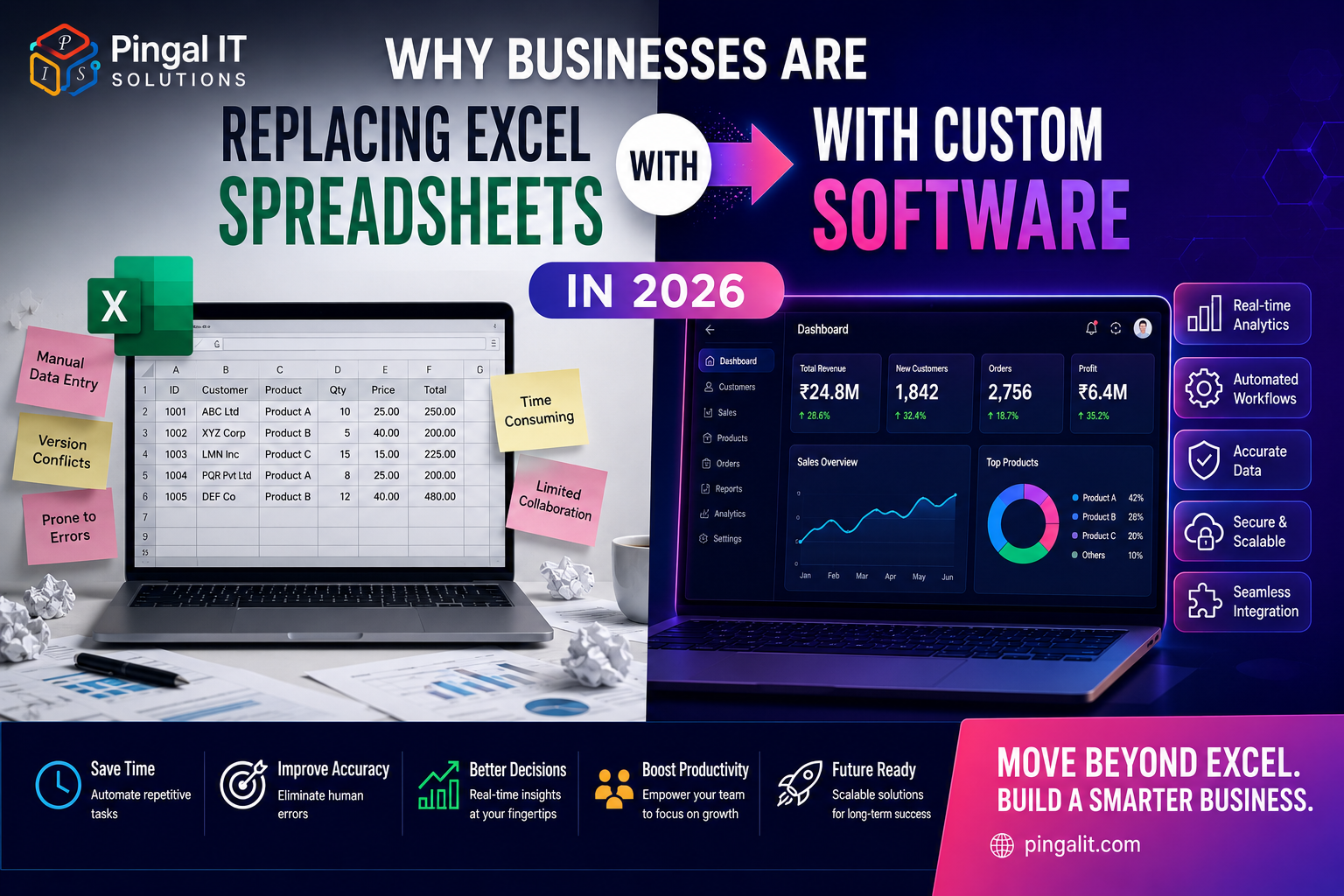
Across industries, organizations are replacing spreadsheet-driven workflows with custom software solutions that automate processes, eliminate manual work, improve data accuracy, and support long-term growth.
This guide explores why businesses are moving beyond Excel, the hidden costs of spreadsheet dependency, and how custom software creates measurable business advantages.
Why Excel Became the Business Standard
Before discussing the limitations of spreadsheets, it's important to understand why they became so popular.
Spreadsheets solve a fundamental business problem: organizing information.
They allow businesses to:
- Store and manage data
- Create reports
- Perform calculations
- Track business activities
- Generate forecasts
- Analyze performance
For startups and small businesses, spreadsheets often provide everything needed to operate efficiently.
They require minimal investment, can be implemented quickly, and offer tremendous flexibility.
The challenge arises when businesses continue relying on spreadsheets long after their operational requirements have evolved.
The Hidden Costs of Spreadsheet Dependency
Most businesses calculate the cost of software subscriptions, infrastructure, and employee salaries. Very few calculate the hidden cost of spreadsheets.
These costs often appear in the form of:
- Manual data entry
- Duplicate work
- Version conflicts
- Human errors
- Delayed reporting
- Lost productivity
- Poor visibility
Individually, these issues may seem minor. Collectively, they can consume hundreds of employee hours every month.
The larger the organization becomes, the more expensive these inefficiencies become.
When Spreadsheets Stop Being a Solution
There is no specific number of rows, customers, or employees that determines when a spreadsheet becomes inadequate.
Instead, businesses typically encounter operational warning signs.
1. Multiple Versions of the Same File
If your team regularly exchanges files named:
- Sales_Report_Final.xlsx
- Sales_Report_Final_v2.xlsx
- Sales_Report_Final_v2_Updated.xlsx
you are already experiencing a common spreadsheet problem.
Version control issues create confusion, duplicate work, and inaccurate reporting.
2. Manual Data Entry Across Systems
Many businesses copy information between spreadsheets, CRMs, accounting software, email systems, and inventory tools.
This repetitive work creates opportunities for errors and wastes valuable time.
3. Delayed Reporting
When reports require hours or days of manual compilation, decision-making slows down.
Business leaders need access to real-time information, not last week's numbers.
4. Limited Collaboration
As teams grow, collaboration becomes more difficult.
Multiple users editing spreadsheets simultaneously often results in conflicts, accidental changes, and lost information.
The Business Risks of Spreadsheet-Based Operations
Many organizations underestimate the risks associated with spreadsheet dependency.
Common risks include:
- Data loss
- Incorrect calculations
- Unauthorized access
- Inconsistent reporting
- Compliance challenges
- Operational bottlenecks
Because spreadsheets are often created and maintained by individuals rather than systems, businesses become heavily dependent on employee knowledge.
If key employees leave, critical processes can become difficult to manage.
Real-World Examples of Spreadsheet Limitations
Inventory Management
A growing retail business tracks inventory using spreadsheets.
Every sale requires manual stock updates.
As order volume increases, inventory discrepancies become common.
The result:
- Overselling products
- Customer dissatisfaction
- Operational inefficiencies
Lead Management
A service company tracks leads in spreadsheets.
As enquiries increase, follow-ups become inconsistent.
Sales opportunities are missed because there is no automated workflow.
Project Management
Multiple project teams maintain separate spreadsheets.
Management struggles to gain visibility into progress, resource allocation, and timelines.
Reporting becomes increasingly complex and time-consuming.
Spreadsheet vs Custom Software: A Comparison
| Factor | Spreadsheet | Custom Software |
|---|---|---|
| Automation | Limited | Extensive |
| Scalability | Low | High |
| Real-Time Reporting | Manual | Automatic |
| Data Accuracy | Error-prone | Controlled |
| Collaboration | Limited | Built-in |
| Security | Basic | Advanced |
| Workflow Automation | Minimal | Comprehensive |
| Integration Capability | Limited | Extensive |
The objective is not to eliminate spreadsheets entirely. They remain valuable tools for analysis and ad hoc reporting.
The goal is to replace spreadsheet-driven operational processes with scalable systems.
Signs Your Business Has Outgrown Excel
If any of the following situations sound familiar, your business may be ready for custom software:
- Employees spend hours updating spreadsheets every week
- Reports require manual compilation
- Information exists across multiple files
- Data inconsistencies are common
- Customer records are duplicated
- Processes depend heavily on specific employees
- Business growth is creating operational complexity
- Teams struggle to access accurate information
These signs often indicate that operational systems are no longer keeping pace with business growth.
How Custom Software Solves These Problems
Unlike generic software solutions, custom software is designed specifically around business requirements.
Rather than forcing teams to adapt their processes, the software supports the way the business actually operates.
Benefits include:
- Centralized information
- Automated workflows
- Role-based access control
- Real-time reporting
- System integrations
- Scalable architecture
- Improved efficiency
Every process that currently requires manual spreadsheet updates becomes a candidate for automation.
The ROI of Replacing Spreadsheets
Many businesses view custom software as an expense.
In reality, it is often an investment in operational efficiency.
| Improvement Area | Potential Business Impact |
|---|---|
| Automated Data Entry | 50–90% reduction in manual work |
| Real-Time Reporting | Faster decision-making |
| Integrated Systems | Improved productivity |
| Reduced Errors | Lower operational costs |
| Workflow Automation | Increased efficiency |
| Centralized Information | Better collaboration |
When measured over multiple years, productivity gains often outweigh implementation costs.
Common Mistakes Businesses Make During Digital Transformation
Trying to Automate Everything at Once
Successful digital transformation is usually incremental.
Businesses should focus on high-impact processes first.
Ignoring User Experience
Software adoption depends heavily on usability.
If employees find the system difficult to use, adoption suffers.
Failing to Define Business Objectives
Technology should support measurable business outcomes.
Without clear objectives, projects become difficult to evaluate.
The Future of Business Operations in 2026
The future belongs to connected, automated, and intelligent systems.
Modern businesses increasingly rely on:
- Workflow automation
- API integrations
- Business intelligence dashboards
- Cloud-based applications
- AI-assisted processes
- Real-time reporting
Organizations that continue relying exclusively on spreadsheets may struggle to compete with businesses operating on integrated digital platforms.
How Pingal IT Solutions Helps Businesses Move Beyond Spreadsheets
At Pingal IT Solutions, we help businesses identify operational bottlenecks and replace inefficient spreadsheet-driven workflows with custom software solutions.
Our approach focuses on understanding how your business operates before recommending technology.
We design systems that:
- Automate repetitive work
- Improve data accuracy
- Provide real-time visibility
- Integrate with existing tools
- Support long-term growth
Whether you need a CRM, ERP, inventory system, customer portal, or workflow automation platform, our goal is to create software that delivers measurable business value.
Conclusion
Excel remains one of the most powerful business tools ever created.
But it was never designed to serve as the operational foundation of a growing organization.
As businesses scale, spreadsheet-based processes often create inefficiencies, increase risk, and limit growth.
Custom software provides a path toward automation, accuracy, scalability, and better decision-making.
The question is no longer whether spreadsheets are useful. The question is whether they are still the best tool for managing your business.
If your team spends more time updating spreadsheets than growing the business, it may be time for a better solution.
Talk to Pingal IT Solutions to explore how custom software can help your business operate more efficiently in 2026 and beyond.