If your business still runs its core systems on local servers or on-premise infrastructure, you're carrying a cost you may not even be measuring — in maintenance, downtime risk, limited scalability, and the constant overhead of keeping hardware alive.
Cloud migration is no longer a future consideration for forward-thinking enterprises. In 2026, it's a present reality for businesses of every size — including SMBs across India who are quietly transforming how they operate, scale, and compete.
This guide covers everything you need to know: what cloud migration actually involves, which model suits your business, the risks to plan for, and how to make the transition without disrupting your day-to-day operations.
What Is Cloud Migration — Simply Explained
Cloud migration is the process of moving your business's data, applications, and IT infrastructure from on-premise servers (physical hardware you own or lease) to cloud-based infrastructure hosted by providers like Amazon Web Services (AWS), Microsoft Azure, or Google Cloud Platform (GCP).
Think of it this way: instead of owning a generator to power your office, you plug into the city's electricity grid. You get the same power — often more — without the maintenance, the upfront capital cost, or the risk of the generator breaking down at a critical moment.
Cloud migration can involve:
- Moving your website and web applications to cloud hosting
- Shifting your databases to managed cloud database services
- Replacing on-premise file storage with cloud storage (S3, Azure Blob, Google Cloud Storage)
- Moving your internal tools and business software to cloud-native or SaaS alternatives
- Setting up cloud-based development and deployment pipelines (DevOps / CI-CD)
Why Businesses Are Moving to the Cloud in 2026
The momentum behind cloud adoption isn't hype — it's driven by real, measurable business advantages that compound over time. Here's what businesses consistently report after a successful migration:
Cost Efficiency
On-premise infrastructure requires large upfront capital expenditure — servers, networking hardware, cooling systems, UPS units — plus ongoing maintenance costs and the salaries of staff to manage it all. Cloud infrastructure converts this into a predictable operational expense. You pay for what you use, scale up when you need more, and scale down when you don't.
Scalability on Demand
A flash sale drives 10x your normal traffic. A new product launch brings thousands of simultaneous users. With on-premise infrastructure, you either over-provision (pay for capacity you rarely use) or under-provision (crash during peak demand). Cloud infrastructure scales automatically — in seconds, not weeks.
Business Continuity & Disaster Recovery
When a physical server fails, businesses can lose hours or days of productivity and potentially irreplaceable data. Cloud providers offer 99.9%+ uptime SLAs, geographic redundancy, and automated backup systems that make serious downtime almost unheard of for well-architected cloud setups.
Security & Compliance
A common misconception is that the cloud is less secure than on-premise. In reality, AWS, Azure, and GCP invest billions annually in security infrastructure and employ security teams that no SMB could match in-house. Cloud platforms offer built-in encryption, identity management, compliance certifications, and security monitoring tools that dramatically raise your security baseline.
Remote Work & Team Collaboration
Cloud-hosted systems are accessible from anywhere with an internet connection. Your team in Jaipur, your remote developer in Bangalore, your client in Mumbai — everyone works from the same live data without VPNs, file sync issues, or version conflicts.
Faster Development & Deployment
For businesses with software products or internal applications, cloud infrastructure enables modern DevOps practices — automated testing, continuous integration, and deployment pipelines that let your team ship updates in hours rather than weeks.
The 3 Cloud Models — Which One Fits Your Business?
Not all cloud migrations look the same. The right model depends on your business size, technical requirements, compliance needs, and budget. Here's a plain-English breakdown:
| Model | What It Means | Best For |
|---|---|---|
| Public Cloud | Infrastructure shared across many customers on AWS, Azure, or GCP. You pay per use. | Most SMBs, startups, web apps, e-commerce |
| Private Cloud | Dedicated cloud environment — either on your own hardware or hosted privately. More control, higher cost. | Finance, healthcare, legal — regulated industries |
| Hybrid Cloud | Mix of public cloud and on-premise or private cloud. Sensitive data stays private; scalable workloads go public. | Enterprises with legacy systems or strict data sovereignty needs |
For the majority of SMBs in India, a public cloud setup on AWS or Azure provides the best balance of cost, performance, and simplicity. You get enterprise-grade infrastructure at a fraction of what it would cost to build and maintain yourself.
The 6 Migration Strategies — The "6 Rs" of Cloud Migration
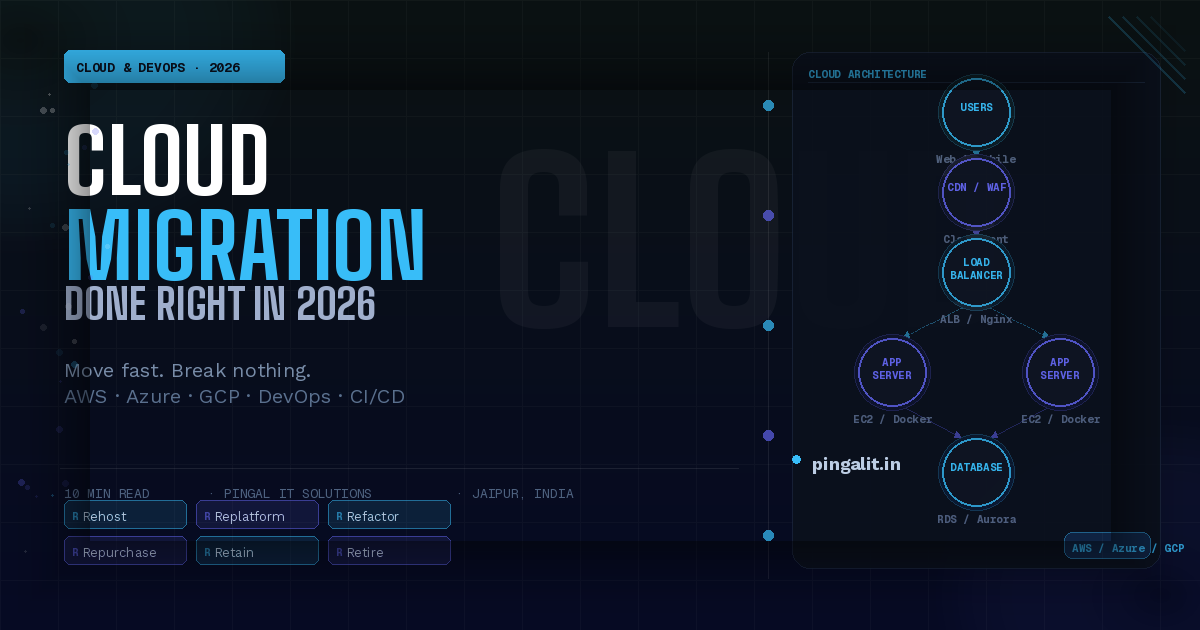
Cloud architects use a framework called the "6 Rs" to describe how different workloads can be moved to the cloud. Understanding this helps set realistic expectations:
1. Rehost ("Lift and Shift")
Move your existing applications to the cloud as-is, with no changes to the code or architecture. The fastest and lowest-risk approach — ideal for businesses that want to get off on-premise infrastructure quickly. You don't immediately get all cloud-native benefits, but you get the cost savings and reliability improvements right away.
2. Replatform ("Lift, Tinker, and Shift")
Move to the cloud with minor optimisations — for example, switching from a self-managed database to a managed cloud database service like AWS RDS. Moderate effort, meaningful improvements in performance and manageability.
3. Refactor / Re-architect
Redesign and rebuild your application to take full advantage of cloud-native capabilities — microservices, serverless functions, auto-scaling, and managed services. The highest effort but the highest long-term return. Best for applications that are core to your competitive advantage.
4. Repurchase
Replace an existing on-premise application with a cloud-based SaaS equivalent. For example, moving from a locally installed CRM to Salesforce, or from on-premise email servers to Google Workspace. Often the fastest path to modernisation for specific business functions.
5. Retain
Some applications are genuinely not worth migrating right now — due to complexity, compliance constraints, or upcoming replacement. A good migration strategy identifies what to move and what to leave, rather than forcing everything to the cloud.
6. Retire
Discover and decommission applications that are no longer needed. Cloud migration projects routinely uncover 20–30% of applications that nobody is actively using, representing pure cost savings.
The 5 Biggest Risks in Cloud Migration — and How to Avoid Them
Cloud migration done poorly can cause significant disruption. Here are the five risks that matter most — and how professional planning eliminates them:
Risk 1 — Migrating Without a Clear Architecture Plan
Moving to the cloud without defining your target architecture first leads to messy, expensive infrastructure that's harder to manage than what you left behind. Always start with a cloud architecture design phase before touching a single server.
Risk 2 — Underestimating Data Migration Complexity
Moving large databases — especially with complex relationships, custom data types, or years of legacy data — requires careful planning, testing, and often a period of running old and new systems in parallel. Rushing this phase causes data loss or corruption.
Risk 3 — Security Misconfigurations
The majority of cloud security incidents are caused not by provider failures but by misconfigured access controls, exposed storage buckets, or overly permissive IAM policies. Security configuration must be part of the migration process — not an afterthought.
Risk 4 — Cost Overruns from Poor Resource Management
Cloud costs can spiral quickly if resources aren't right-sized, unused infrastructure isn't cleaned up, or auto-scaling isn't configured correctly. Cost monitoring and budget alerts should be set up from day one.
Risk 5 — No Rollback Plan
Every migration should have a clearly defined rollback procedure — a way to revert to the old system quickly if something goes wrong during or after go-live. Migrations without rollback plans are migrations without safety nets.
What Does Cloud Migration Cost in India in 2026?
Migration costs depend heavily on the size of your infrastructure, the complexity of your applications, and the migration strategy chosen. Here's a realistic overview:
| Scope | Estimated Cost (INR) | Timeline |
|---|---|---|
| Small website / web app (Rehost) | ₹25,000 – ₹80,000 | 1–2 weeks |
| Mid-size business application | ₹1.5L – ₹5L | 4–8 weeks |
| Multi-application enterprise migration | ₹8L – ₹25L+ | 3–6 months |
| Ongoing cloud management (monthly) | ₹15,000 – ₹80,000/month | Ongoing |
💡 Pingal IT Tip: Ask for a cloud cost optimisation review alongside any migration quote. A well-architected cloud setup typically costs 30–50% less per month than a naive lift-and-shift of the same workloads — the difference is in how resources are sized, managed, and monitored.
How Pingal IT Solutions Handles Cloud Migration & DevOps
At Pingal IT Solutions, Jaipur, our Cloud & DevOps practice is built around making migration predictable, secure, and non-disruptive — regardless of your starting point.
Cloud Readiness Assessment
We start by auditing your current infrastructure, applications, and data to understand what you have, what it costs, and what the right migration strategy is for each workload. No assumptions, no one-size-fits-all approach.
Architecture Design
Before a single resource is provisioned, we design your target cloud architecture — covering compute, storage, networking, security, and cost optimisation. You review and approve the blueprint before work begins.
Phased Migration with Zero Downtime
We migrate in phases, with each phase tested and validated before moving to the next. For business-critical applications, we run parallel environments during the transition — your old system stays live until the new one is confirmed stable.
DevOps & CI/CD Pipeline Setup
Beyond migration, we set up modern development pipelines — automated testing, continuous integration, and deployment workflows using tools like GitHub Actions, Docker, and Kubernetes — so your team can ship software faster and more reliably.
Security Hardening & Compliance
Every environment we build is hardened by default — least-privilege access policies, encrypted storage, network isolation, security monitoring, and automated vulnerability scanning.
Ongoing Management & Optimisation
Post-migration, we offer managed cloud services — monitoring, incident response, cost optimisation, and regular infrastructure reviews to ensure your cloud setup keeps performing as your business evolves.
Conclusion
Cloud migration is not a technology project. It's a business transformation — one that reduces costs, increases resilience, enables your team to move faster, and gives your business the infrastructure foundation it needs to scale.
The businesses that move deliberately and with the right partner come out with lower costs, stronger security, and a competitive edge. Those that delay are carrying an infrastructure debt that compounds every year they wait.
Ready to understand what cloud migration looks like for your business specifically? Get in touch with Pingal IT Solutions for a free Cloud Readiness Assessment — we'll map exactly what you have, what it would cost to migrate, and what you'd save on the other side.